Updated on 09/28/2026

Understanding PrestaShop Order Statuses: Validated Orders, Paid Orders and the Impact of Status Changes

How It Works

In PrestaShop, an order status is not just a label telling you that an order is “processing”, “shipped” or “canceled”.

Each status can trigger several internal behaviors:

  • whether or not the order is considered validated;
  • recording the order as paid;
  • generating an invoice;
  • updating stock;
  • etc.

A wrong configuration can therefore affect:

  • sales statistics;
  • the revenue displayed by some modules;
  • the payments recorded on the order;
  • invoices;
  • stock;
  • processes run by third-party modules.

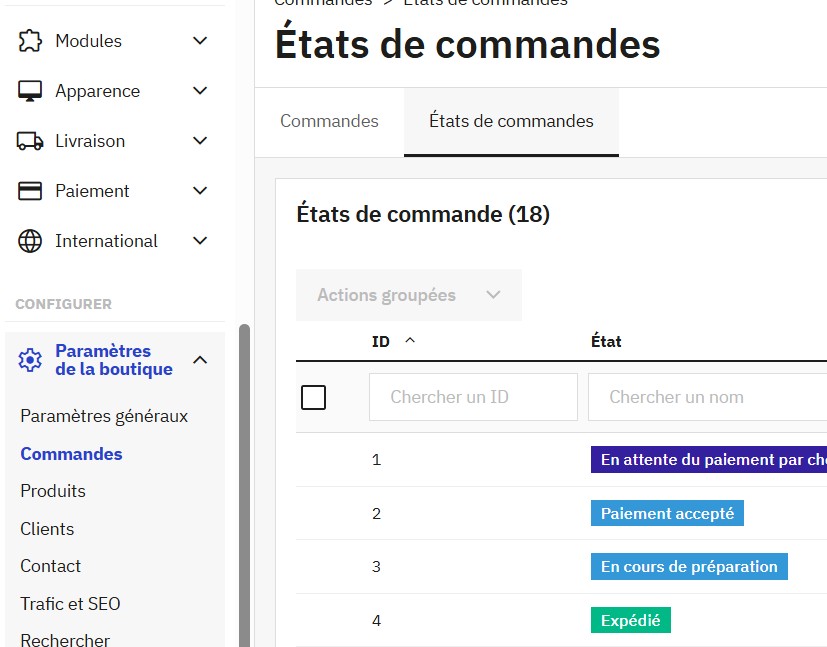
Order statuses are configured in: Shop Parameters > Order Settings > Statuses

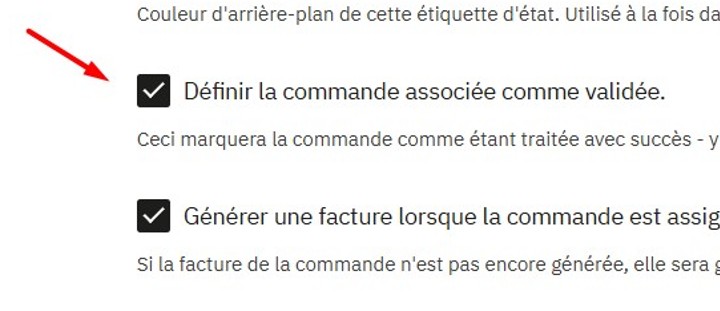
What Does “Consider the associated order as validated” Mean?

When this box is checked, PrestaShop considers the order confirmed and includes it in your shop's activity.

This box therefore directly affects whether an order is counted in your revenue.

Important rule

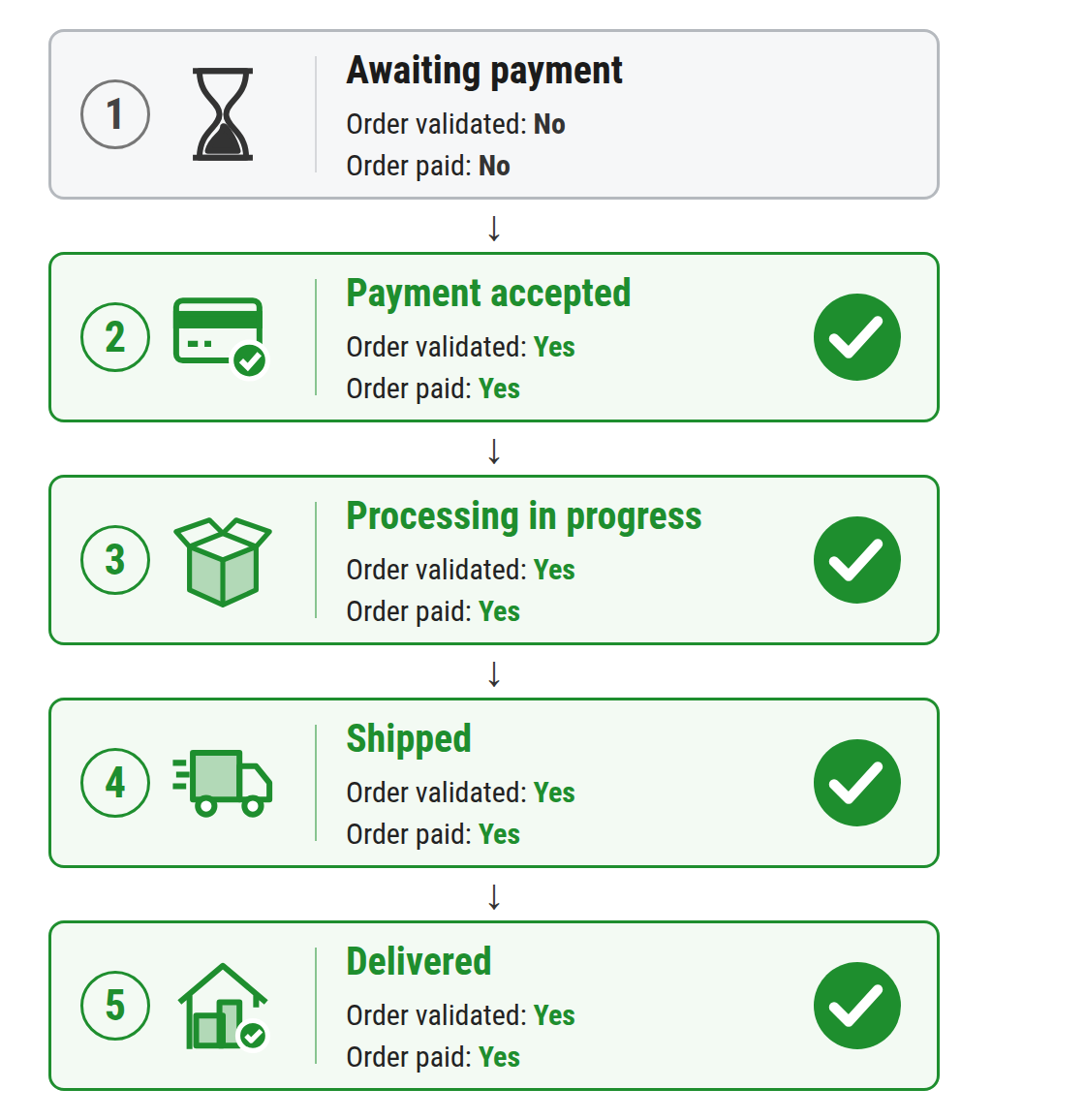
Once an order is considered validated, all the following statuses should generally keep the “validated order” box checked.

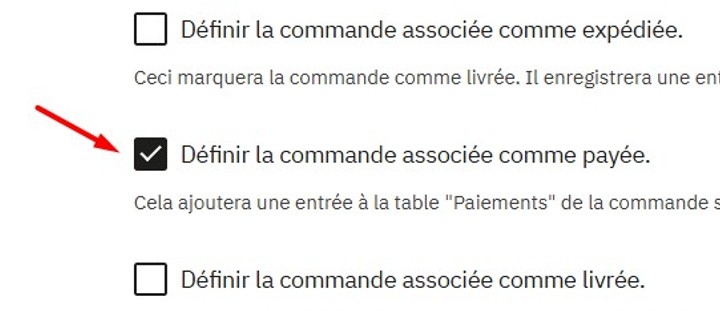
What Does “Set the order as paid” Mean?

This box tells PrestaShop that payment for the order has been confirmed.

It should normally be used on the status that corresponds to payment confirmation.

This box therefore directly affects whether an order is counted in the POS module's Z report.

Note

Unlike the other box, an order remains paid even if the next status does not have this box checked.

However, we recommend checking it for consistency.

Order Journey Examples:

Correct Journey

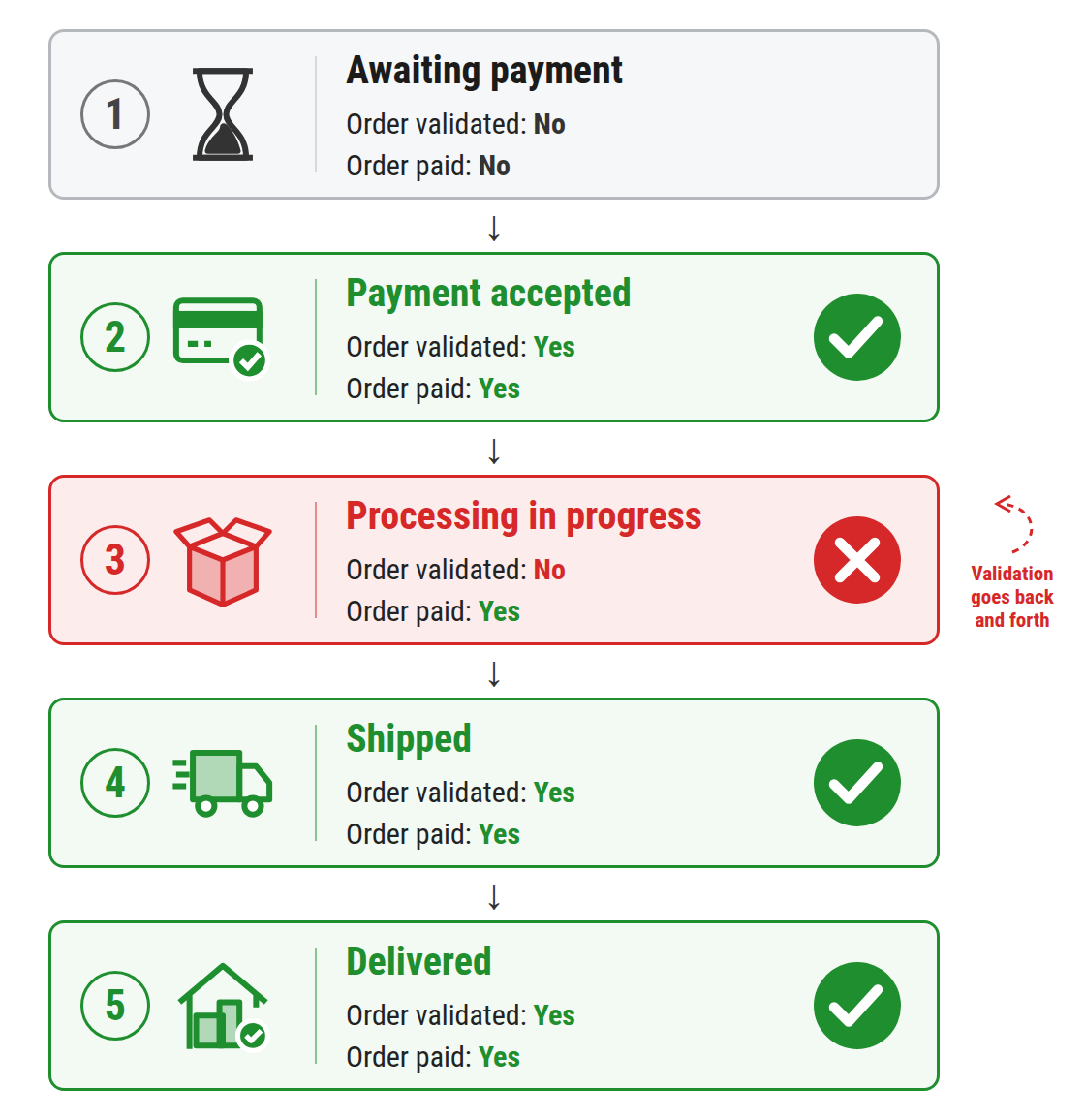
Incorrect Journey

In the incorrect journey, the problem is the “Processing in progress” status.

Even though the order has already been paid, PrestaShop no longer considers it validated during this step.

It becomes validated again when it is shipped.

This can cause inconsistencies or fluctuations in your statistics and displayed revenue.
Please note

A wrong configuration of the order statuses used in PrestaShop can directly cause an imbalance in the X report (and therefore the Z report) in the PrestaShop POS with Prestatill module.